
There is no useful universal average for installation
Panel construction, chassis design and stand hardware vary between televisions of the same advertised size. An average across an unspecified collection of products would not establish whether your own set fits a mount or cabinet.
Use the complete model number, including any regional suffix, to find the manufacturer's specifications. Avoid borrowing a weight from the 55-inch or 75-inch version of the same series.
Our 65-inch TV comparison can help narrow the featured options. Once you have chosen a model, verify its current specification sheet before arranging support or transport.
A documented example shows why the label matters
Sony's XR-65A80L specifications list three different weights:
- TV without stand: 51.4 pounds, or 23.3 kilograms.
- TV with stand: 54.9 pounds, or 24.9 kilograms.
- Gross packaged weight: 72.7 pounds, or 33 kilograms.
This is one documented model example, not a market average or a recommendation to buy it. Its purpose is to show how choosing the wrong line can change the number you use.
For unpacking, the box dimensions also matter. For a cabinet, check the actual stand footprint. For a wall installation, begin with the set's specified weight without its table stand.
A mount needs more than a matching weight limit
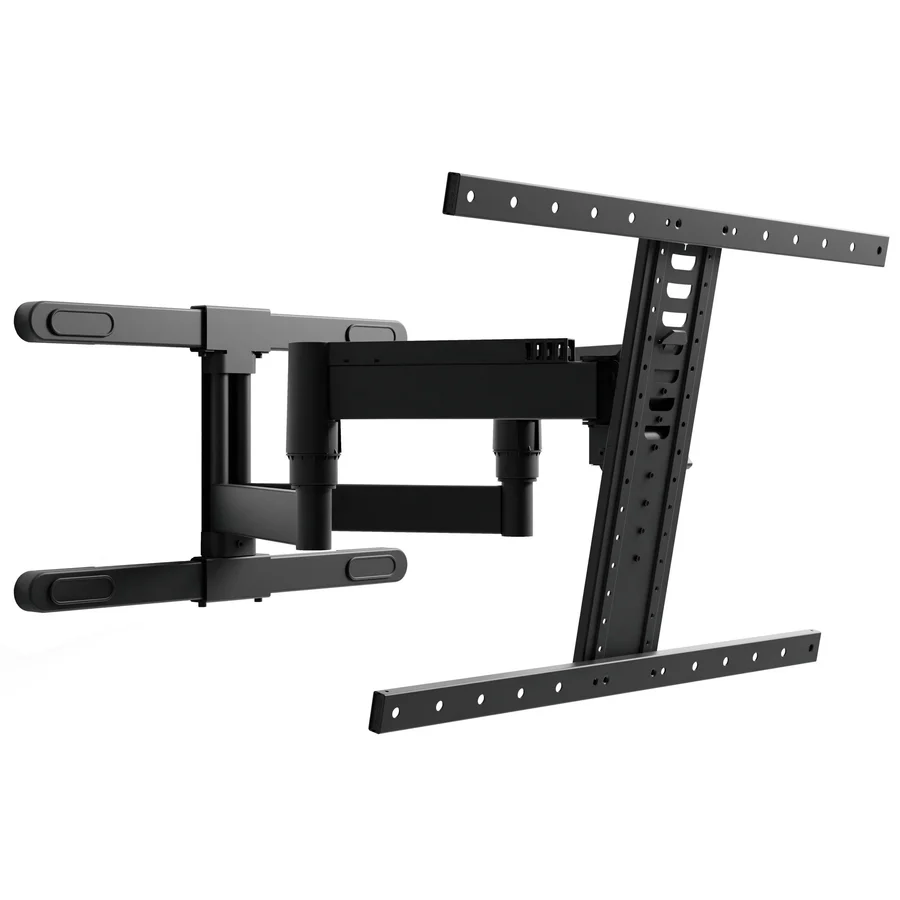
Confirm the mount's supported weight, hole pattern and compatibility instructions. The correct attachment hardware, mounting surface and installation method are separate requirements.
A mount described as suitable for a screen-size range is not automatically suitable for every TV in that range. Compare the exact television and mount documentation together. Include any accessories in the way the mount manufacturer specifies.
Our TV wall-mount guide explains the mapped choices. If the wall construction or fixing method is uncertain, have a qualified installer assess it before drilling.
Check the cabinet and the route into the room
For a tabletop setup, use the television's weight with its stand and check the furniture's stated capacity. Confirm that the entire stand rests on the support surface without overhang.
Measure the available width and depth, including space for cables and ventilation. A wide screen can have feet placed near its edges or a central pedestal, so screen width does not describe the support footprint.
Before delivery, check doorways, stairs and turning space using the packaged dimensions. Plan where the packaging can be opened without leaning objects against the panel.
Plan handling from the manual
Follow the manufacturer's instructions for lifting positions, required help and transport orientation. A large panel can be awkward even when its weight seems manageable. Do not lift it by pressing on the screen.
Keep the packaging if you may need to move or return the set. After positioning it, use our TV-height guide to think through the viewing position before committing to an installation.
Compare more than one current 65-inch example
The 2026 LG OLED65C6PUA specification lists 36.6 pounds without the stand, 40.6 pounds with it and 58 pounds packed. Sony's 2026 K-65A60C specification lists 38.2 pounds without the stand, 39.7 pounds with it and a 55.1-pound package. These are two model examples beside the older Sony example above, not a representative sample of every 65-inch television.
The difference between bare-set and packed weight matters when planning a delivery route; the stand may matter when judging furniture capacity. Read the unit and region carefully. A specification in kilograms and another in pounds can look far apart until converted, and regional versions may have different stands or accessories.
Choose the right weight for each task
Use the television's weight without its table stand when comparing a bare set with a wall mount, subject to the mount maker's full instructions. Use its weight with the stand for a cabinet, console or shelf. Use the gross packaged weight when planning transport or checking a courier's limit. Add any extra mounted accessories or soundbar as the support maker directs.
Do not rely on a single number copied from a retailer card. Manufacturer pages often list all three, but labels differ: “net weight,” “set weight” and “shipping weight” may describe different configurations. If a specification does not say whether the stand is included, ask the manufacturer before using it for a load-bearing decision.
Check the mounting pattern and wall, too
A TV mount needs to match the set's hole pattern, weight and fixing requirements. The VESA mounting interface overview explains the standard used for mounting patterns, but the number alone does not certify that a particular wall or bracket is suitable. Read the TV and bracket installation manuals together for fastener type, depth, spacing and permissible wall construction.
The two current examples show that patterns can differ despite identical screen-size labels. LG lists a 300 × 200 mm VESA pattern for its 65-inch C6, while Sony lists 400 × 200 mm for the K-65A60C. Check the exact regional model and the mount's supported patterns; do not order from the diagonal alone. If the wall structure is uncertain, use a qualified installer.
Measure the stand and the delivery path
A cabinet must support both the weight and the actual stand footprint. Some TVs use a central pedestal; others place feet near the edges. Measure where the feet land and leave room for cables, ventilation and safe access to inputs. Do not let either foot overhang a narrow surface.
For delivery, use the carton dimensions, not the unboxed screen width. LG lists a 65.4-inch-wide package for the C6, compared with a 56.7-inch-wide TV. Sony's K-65A60C carton is listed at 64.63 inches wide, compared with a 56.88-inch bare set. The package needs room to turn through doors and stair landings. Plan where two people can unpack it without putting pressure on the panel.
Handle the panel according to its manual
Weight is only one part of handling. A broad, thin television is awkward to grasp, and a light panel can still crack if lifted by the display surface. Follow the maker's instructions for hand positions, helpers, stand attachment and transport orientation. Do not assume that a wall mount can be fitted while a set rests unsupported on a sofa or floor.
Keep the carton and protective materials until the TV is installed and checked. If an installer is booked, give them the full model number, mount model and wall type before arrival. That allows them to confirm hardware and identify a mismatch before the screen is lifted.
Make a one-page installation record
- Record the full TV model and regional suffix.
- Copy the manufacturer-listed weight without stand, with stand and packed.
- Record the VESA pattern, stand footprint and carton dimensions.
- Check the furniture or mount rating and installation instructions.
- Measure the delivery route and arrange the required helpers.
Use this record to make a specific installation decision. An “average 65-inch TV weight” can be interesting background, but it cannot replace the exact numbers that keep the chosen set supported and movable.
This article draws on the linked primary sources and practical explanations. It does not report hands-on testing or a personalized assessment.