
Measure from the position you use
Sit in your usual viewing position and measure eye height from the floor. If several people use the room, compare their positions and test a practical compromise before committing to an installation.
Sony's mounting-height guidance puts the screen center at viewers' eye level in general, while noting the role of preferences, seating and model-specific viewing angles.
A standing eye-level measurement is not the same as a seated one. A reclining seat also changes how you look at the screen. Use the room as it will actually be used rather than copying a measurement from a different home.
Translate the center height into a screen outline
Use the television's actual height without its stand from the manufacturer specification. Half that height sits below the center line and half above it.
If the desired center is 42 inches above the floor and the television body is 32 inches tall, its bottom would be about 26 inches above the floor. These are illustrative measurements, not a recommended universal height.
The screen center, television body center and mounting-hole position may differ. Use a paper or removable-tape outline to test the intended location. The mount template and exact TV mounting pattern determine the fixing positions.
Check what sits around the screen
Allow the clearances required by the television, mount and any nearby equipment. Include a soundbar, furniture, cable connections and access to controls. Do not raise the TV automatically just to accommodate something that could be placed elsewhere.
Look for glare from the seats you use, at the times you normally watch. A location that looks tidy in daylight may catch a distracting reflection in the evening.
A fireplace adds heat and installation constraints. Check the television and fireplace manufacturers' requirements and use a qualified installer when the location is uncertain. A tilt adjustment does not remove those constraints.
Match the mount to the television and wall
Check the supported weight, mounting-hole pattern, required screws and wall construction against the exact instructions. Screen diagonal alone does not establish compatibility.
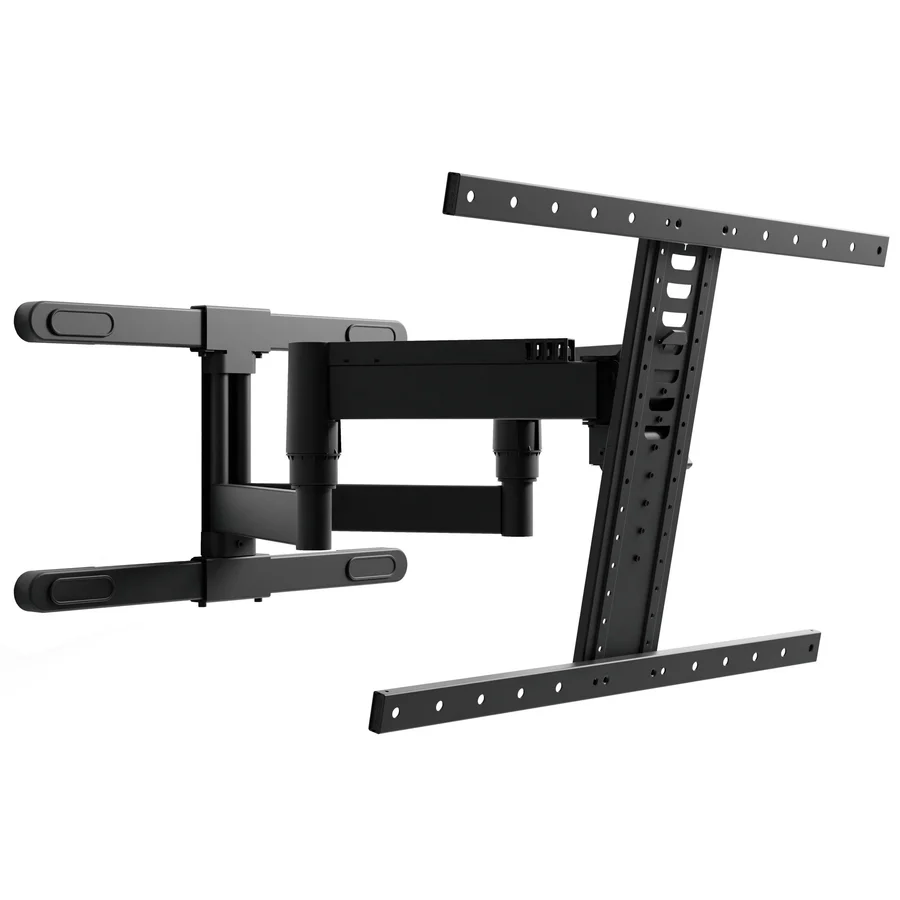
Our wall-mount assessment explains the mapped mount and its limits. Verify it against your own TV rather than assuming all televisions of the same nominal size use the same attachment.
Do not improvise wall anchors or screw lengths. If you cannot establish the wall structure, hidden-service locations or required fixings, have a qualified installer assess them. This guide helps plan the viewing position, not certify an installation.
Test the layout before making holes
- Mark a temporary outline using the actual television dimensions.
- Sit in the normal viewing positions and assess the height.
- Check furniture, equipment and required ventilation clearances.
- Confirm cable routes and access with the mount in its intended position.
- Follow the exact installation template and instructions for the final fixing locations.
Take a photo of the proposed outline if you need to discuss the setup with an installer. It is easier to adjust an outline than to move a mounted screen after discovering that it feels too high.
Use seated eye level as a starting point
Sony's guidance places the general screen center near the viewer's eye level. Samsung's mounting guide gives the same broad starting point, and LG's size guide describes the middle of the TV at or slightly below eye level. These are planning guides, not a fixed number of inches from the floor. Seat height and posture vary between homes.
Measure from the main viewing position with a person sitting normally, then check other regular seats. A compromise may be needed for a family room. If people recline in a bedroom, test that position too. The goal is a comfortable line of sight without repeatedly tipping the head backward or twisting toward the screen.
Work from the TV's physical height
A 65-inch diagonal does not say how tall the cabinet is, and a stand can add height that disappears on a wall mount. Find the manufacturer's “dimensions without stand” for the exact model. Mark the desired center line, then place half the cabinet height above and below it to outline the screen. Check where the mount's attachment points lie relative to that center; they may be offset.
For example, if a set is 32 inches tall and the desired center line is 42 inches from the floor, the outline extends roughly from 26 to 58 inches. That calculation shows the method only. It does not tell you where to drill, because the bracket, mounting-hole pattern and wall fixing positions must come from the actual installation documents.
Test every viewing position before drilling
Use removable tape or a paper template to show the full TV outline. Sit on the sofa, at a side chair and at any desk that regularly faces the set. Check whether subtitles or scoreboards are comfortable to read without looking sharply up or across. A location that works from the central seat may feel too high from a closer chair.
Watch how windows and lamps reflect at the usual times of day. Moving the outline a few inches or changing the seating may help more than selecting a tilting bracket. If the room has several competing priorities, decide which viewing position is primary before fixing the screen permanently.
Keep installation separate from the viewing calculation
Finding a comfortable height does not prove the wall can support the TV. Verify the exact set's weight without its table stand, VESA pattern, screw depth and the mount's stated compatibility. The wall material and fixing method must follow the mount and building requirements. Do not infer a safe anchor from a bracket's advertised screen-size range.
Allow the cable bend radius, access to inputs and any specified ventilation clearances. If the mounting surface, hidden wiring or fireplace heat is uncertain, use a qualified installer. Neither eye-level guidance nor a tape outline replaces a structural assessment.
Make room for a soundbar and furniture
Place a soundbar and cabinet in the temporary outline too. Decide whether the soundbar will sit on furniture or attach to the mount, and check how its weight and fixing affect the installation. Do not raise the television by a large amount simply because a cabinet is tall; consider whether furniture or audio placement can change.
Leave room to access the power plug and disconnect the set if needed. Check doors and drawers that might swing into the screen. An attractive symmetrical wall arrangement is useful only if the result can be watched comfortably and maintained safely.
Record the final plan
- Measure seated eye height from the primary seat and test the others.
- Copy the TV's actual height and weight from its specification.
- Mark a temporary screen outline at the proposed center height.
- Add the soundbar, furniture, clearances and cable route.
- Give the installer the TV and mount model numbers and wall details.
Take a photo of the outline from each regular seat before committing. The most useful answer to “how high” is a measured position for this room and this television, checked against the manufacturer's installation instructions.
This article draws on the linked primary sources and practical explanations. It does not report hands-on testing or a personalized assessment.