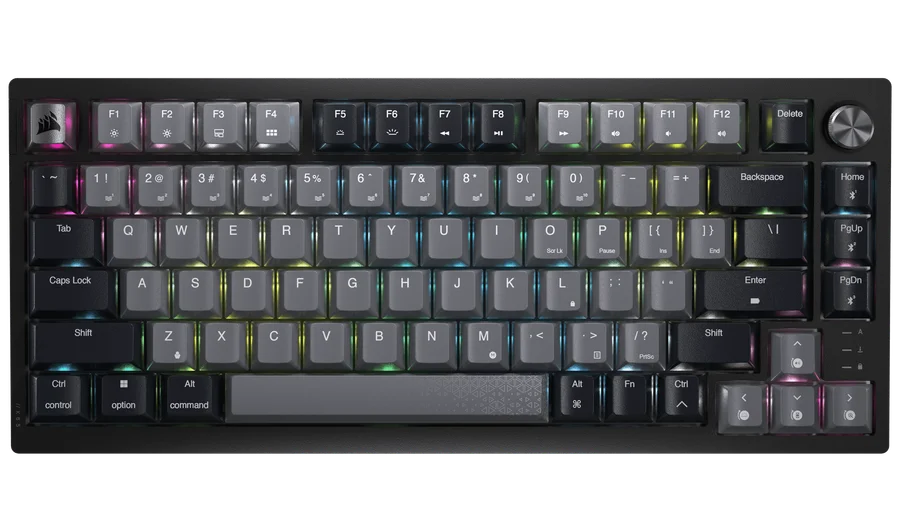
The Gadget Nerds / Control that fits your hand

Gaming mice with the right kind of control.

A mouse needs to suit your grip, desk and connection preferences. These five choices range from straightforward wired designs to wireless models powered by an AA battery.

5 products comparedResearch checked November 3, 2026

Category illustration. Compare the real products below.

A note on links. Product links take you directly to Walmart. No affiliate tracking has been added to these links. Seller, price, delivery and availability can change. This guide is based on research, not hands-on testing.

01 / The shortlist

5 options. Different reasons to choose.

Start with the job you need it to do. These selections are organised by use case rather than sorted by editorial score.

Rival 3 Gen 2 and G203 suit a shortlist of compact wired mice. DeathAdder Essential offers a sculpted right-hand shape. Choose between M55 Wireless and G305 by grip, connection needs and software support.

At a glance. Specifications are listing claims unless stated otherwise.
ProductEditorial scoreConsider it forKey detailsKeep in mind
SteelSeries Rival 3 Gen 2, blackRead the comparison8.5 /10Research-baseda lightweight wired optionWired USB connection
77 g listed weight
6 programmable buttons

Its symmetrical outline does not make the side-button placement equally convenient for both hands. Check dimensions and current software support; the quoted weight and sensor figures are not our measurements.

Logitech G203 LIGHTSYNC, blackRead the comparison8.4 /10Research-baseda simple wired six-button layoutWired connection
8,000 DPI maximum listed
LIGHTSYNC RGB

Advanced customization requires compatible software. A higher maximum DPI is not a reason by itself to prefer another mouse, and hand comfort cannot be established from a specification sheet.

Razer DeathAdder Essential, blackRead the comparison8.3 /10Research-baseda sculpted right-hand shapeWired connection
6,400 DPI optical sensor
5 programmable buttons

This is the Essential model, not a later DeathAdder V-series mouse. It is designed around right-hand use. Check your grip and desk space rather than assuming every DeathAdder shares the same size or features.

Corsair M55 WIRELESS, grayRead the comparison8.6 /10Research-basedreceiver and Bluetooth connectionsSLIPSTREAM and Bluetooth
Single AA power
6 programmable buttons

Compare battery-life claims within the connection mode you will use. This is an AA-powered mouse, not a USB-rechargeable model. iCUE customization and device compatibility need checking for your system.

Logitech G305 LIGHTSPEED, whiteRead the comparison8.7 /10Research-basedreceiver-based wireless gamingLIGHTSPEED USB receiver
Single AA power
12,000 DPI maximum listed

LIGHTSPEED is not Bluetooth. Keep a suitable USB port available and confirm that the receiver is included. The advertised 250-hour battery figure depends on use and is not a result from our own testing.

SteelSeries Rival 3 Gen 2, black

EDITORIAL SCORE 8.5 /10

For a lightweight wired option

  • Wired USB connection
  • 77 g listed weight
  • 6 programmable buttons

Its symmetrical outline does not make the side-button placement equally convenient for both hands. Check dimensions and current software support; the quoted weight and sensor figures are not our measurements.

Read the comparison

Logitech G203 LIGHTSYNC, black

EDITORIAL SCORE 8.4 /10

For a simple wired six-button layout

  • Wired connection
  • 8,000 DPI maximum listed
  • LIGHTSYNC RGB

Advanced customization requires compatible software. A higher maximum DPI is not a reason by itself to prefer another mouse, and hand comfort cannot be established from a specification sheet.

Read the comparison

Razer DeathAdder Essential, black

EDITORIAL SCORE 8.3 /10

For a sculpted right-hand shape

  • Wired connection
  • 6,400 DPI optical sensor
  • 5 programmable buttons

This is the Essential model, not a later DeathAdder V-series mouse. It is designed around right-hand use. Check your grip and desk space rather than assuming every DeathAdder shares the same size or features.

Read the comparison

Corsair M55 WIRELESS, gray

EDITORIAL SCORE 8.6 /10

For receiver and Bluetooth connections

  • SLIPSTREAM and Bluetooth
  • Single AA power
  • 6 programmable buttons

Compare battery-life claims within the connection mode you will use. This is an AA-powered mouse, not a USB-rechargeable model. iCUE customization and device compatibility need checking for your system.

Read the comparison

Logitech G305 LIGHTSPEED, white

EDITORIAL SCORE 8.7 /10

For receiver-based wireless gaming

  • LIGHTSPEED USB receiver
  • Single AA power
  • 12,000 DPI maximum listed

LIGHTSPEED is not Bluetooth. Keep a suitable USB port available and confirm that the receiver is included. The advertised 250-hour battery figure depends on use and is not a result from our own testing.

Read the comparison

02 / Find your pick

What matters to you?

Choose a use case to jump to the relevant comparison. This is a navigation aid, not a personalized test result.

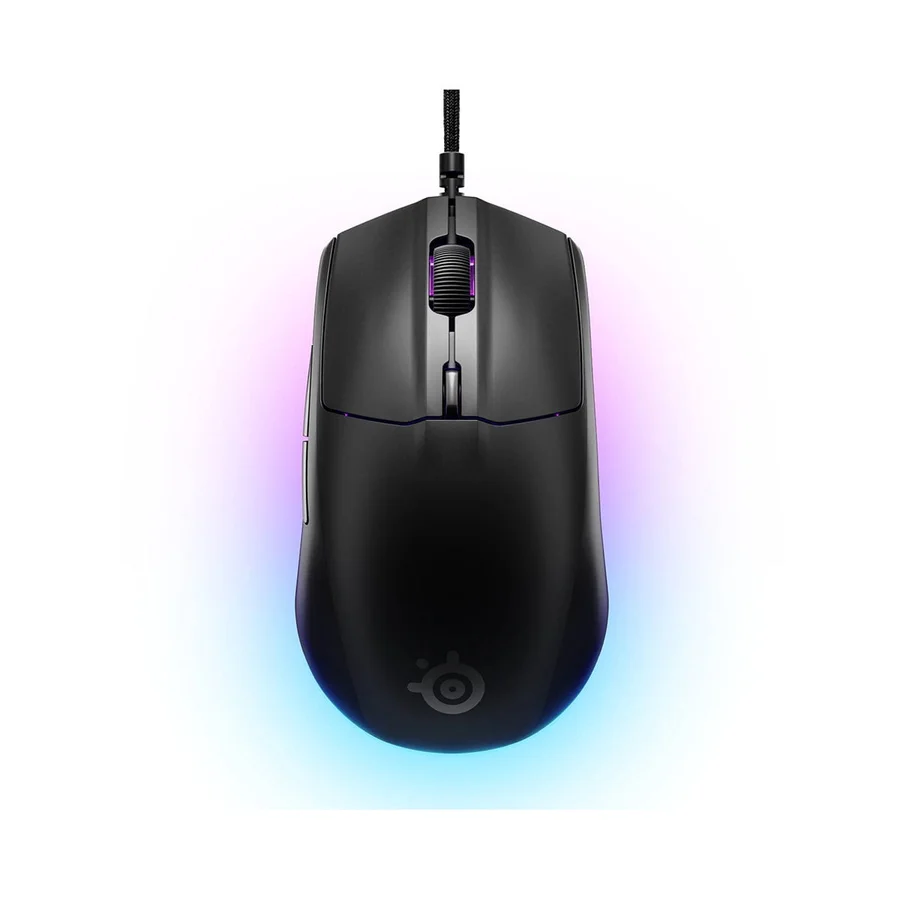
Black SteelSeries Rival 3 Gen 2 mouse with colored lighting

SteelSeries Rival 3 Gen 2, black

A symmetrical shell with six programmable buttons.

See this comparison ↓

03 / A closer look

The details that make a difference.

Black SteelSeries Rival 3 Gen 2 mouse with colored lighting
EDITORIAL SCORE
8.5/10
Research-based assessment

A symmetrical shell with six programmable buttons. Score reflects listed strengths and trade-offs, not hands-on tests.

01 / For a lightweight wired option

SteelSeries Rival 3 Gen 2, black

A symmetrical shell with six programmable buttons.

The listing specifies a 77-gram body, an 8,500 DPI TrueMove Core sensor and PTFE feet. A wired connection removes battery changes from the routine. Consider it if you use a claw or fingertip grip and want settings through SteelSeries GG.

  • Wired USB connection
  • 77 g listed weight
  • 6 programmable buttons
Before you choose

Its symmetrical outline does not make the side-button placement equally convenient for both hands. Check dimensions and current software support; the quoted weight and sensor figures are not our measurements.

Check price at Walmart

Opens the linked product page. Confirm the exact model and any current purchase terms.

How we reached this verdictStrengths, caveats and our editorial score calculation8.5 /10

Research-based editorial assessment

Review verdict

SteelSeries Rival 3 Gen 2, black. A symmetrical shell with six programmable buttons. The listing specifies a 77-gram body, an 8,500 DPI TrueMove Core sensor and PTFE feet. A wired connection removes battery changes from the routine. Consider it if you use a claw or fingertip grip and want settings through SteelSeries GG.

What to keep in mind
  • Its symmetrical outline does not make the side-button placement equally convenient for both hands.
  • Check dimensions and current software support; the quoted weight and sensor figures are not our measurements.

Where it fits best

For a lightweight wired option

The listing specifies a 77-gram body, an 8,500 DPI TrueMove Core sensor and PTFE feet. A wired connection removes battery changes from the routine. Consider it if you use a claw or fingertip grip and want settings through SteelSeries GG.

Before you buy

Its symmetrical outline does not make the side-button placement equally convenient for both hands. Check dimensions and current software support; the quoted weight and sensor figures are not our measurements.

Who should buy it?

Consider this product when your priority matches for a lightweight wired option and its listed features fit your setup. Compare the other options above and check the precise model, included accessories and retailer terms before ordering.

How we calculated 8.5/10

We weighted five criteria relevant to this guide. The values are editorial judgements based on the product descriptions, documented specifications and limitations. They are not independent performance measurements, laboratory test scores or customer ratings.

Sensor & control features8.6 × 30%
Grip/use-case suitability8.5 × 25%
Connection practicality8.7 × 20%
Fit & battery caveats7.8 × 15%
Model clarity8.6 × 10%

Weighted editorial score: 8.5 / 10Listing research checked 3 November 2026

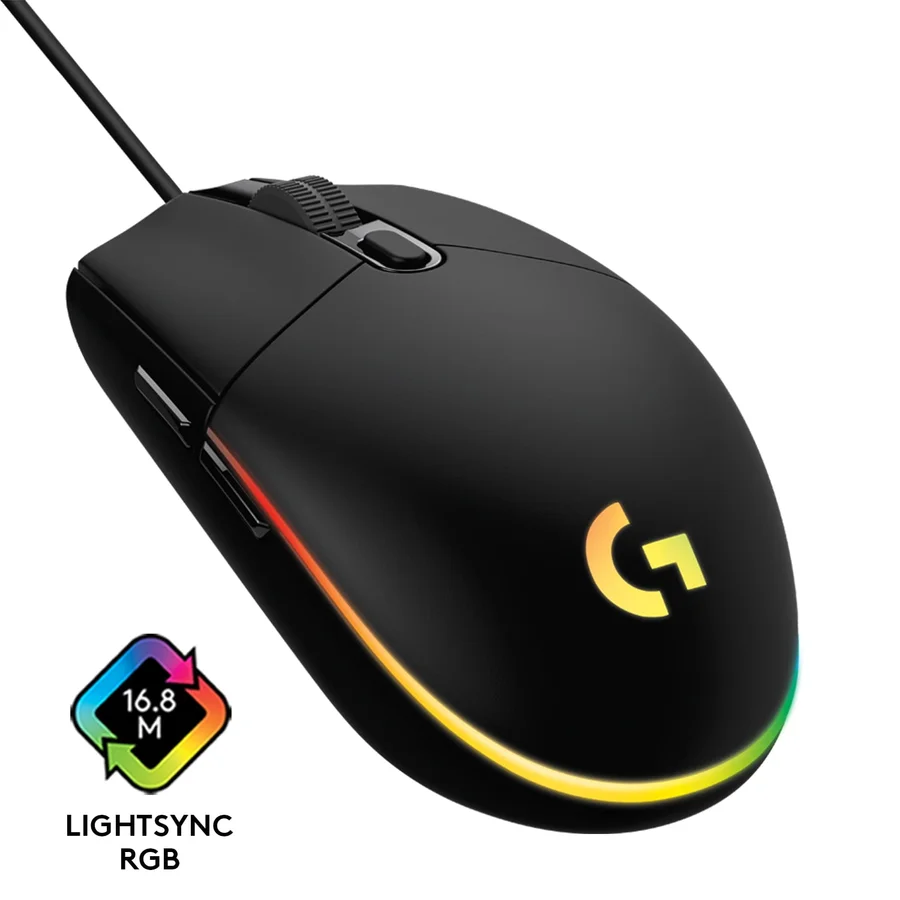
Black Logitech G203 with an illuminated edge and logo
EDITORIAL SCORE
8.4/10
Research-based assessment

A familiar compact shape with customizable lighting. Score reflects listed strengths and trade-offs, not hands-on tests.

02 / For a simple wired six-button layout

Logitech G203 LIGHTSYNC, black

A familiar compact shape with customizable lighting.

The G203 listing specifies an 8,000 DPI sensor and six buttons. Logitech G HUB handles supported button assignments, sensitivity and RGB settings. It is worth comparing when you want a straightforward wired mouse without managing a wireless receiver.

  • Wired connection
  • 8,000 DPI maximum listed
  • LIGHTSYNC RGB
Before you choose

Advanced customization requires compatible software. A higher maximum DPI is not a reason by itself to prefer another mouse, and hand comfort cannot be established from a specification sheet.

Check price at Walmart

Opens the linked product page. Confirm the exact model and any current purchase terms.

How we reached this verdictStrengths, caveats and our editorial score calculation8.4 /10

Research-based editorial assessment

Review verdict

Logitech G203 LIGHTSYNC, black. A familiar compact shape with customizable lighting. The G203 listing specifies an 8,000 DPI sensor and six buttons. Logitech G HUB handles supported button assignments, sensitivity and RGB settings. It is worth comparing when you want a straightforward wired mouse without managing a wireless receiver.

What to keep in mind
  • Advanced customization requires compatible software.
  • A higher maximum DPI is not a reason by itself to prefer another mouse, and hand comfort cannot be established from a specification sheet.

Where it fits best

For a simple wired six-button layout

The G203 listing specifies an 8,000 DPI sensor and six buttons. Logitech G HUB handles supported button assignments, sensitivity and RGB settings. It is worth comparing when you want a straightforward wired mouse without managing a wireless receiver.

Before you buy

Advanced customization requires compatible software. A higher maximum DPI is not a reason by itself to prefer another mouse, and hand comfort cannot be established from a specification sheet.

Who should buy it?

Consider this product when your priority matches for a simple wired six-button layout and its listed features fit your setup. Compare the other options above and check the precise model, included accessories and retailer terms before ordering.

How we calculated 8.4/10

We weighted five criteria relevant to this guide. The values are editorial judgements based on the product descriptions, documented specifications and limitations. They are not independent performance measurements, laboratory test scores or customer ratings.

Sensor & control features8.3 × 30%
Grip/use-case suitability8.5 × 25%
Connection practicality8.8 × 20%
Fit & battery caveats7.9 × 15%
Model clarity8.7 × 10%

Weighted editorial score: 8.4 / 10Listing research checked 3 November 2026

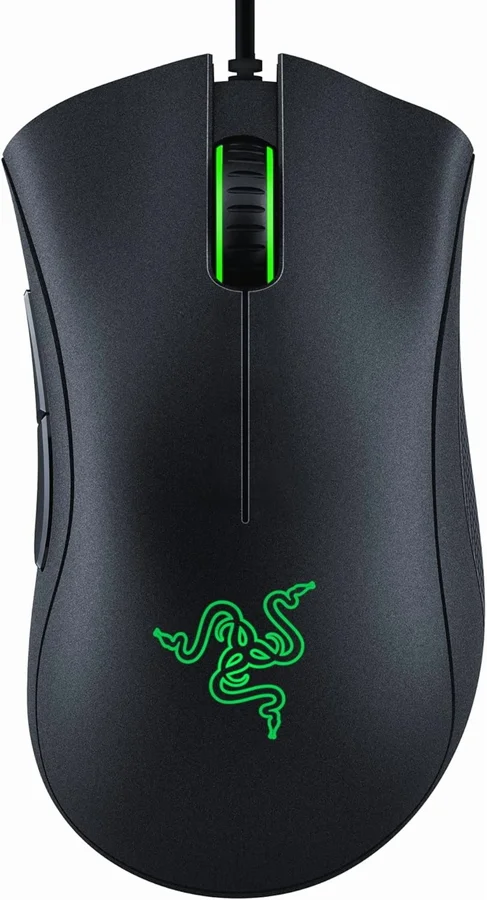
Black Razer DeathAdder Essential with green accents
EDITORIAL SCORE
8.3/10
Research-based assessment

A wired mouse with five programmable buttons. Score reflects listed strengths and trade-offs, not hands-on tests.

03 / For a sculpted right-hand shape

Razer DeathAdder Essential, black

A wired mouse with five programmable buttons.

The DeathAdder Essential has a 6,400 DPI optical sensor and the curved DeathAdder outline. Its shape is the main reason to compare it with the more compact symmetrical designs here. Supported button remapping uses Razer Synapse.

  • Wired connection
  • 6,400 DPI optical sensor
  • 5 programmable buttons
Before you choose

This is the Essential model, not a later DeathAdder V-series mouse. It is designed around right-hand use. Check your grip and desk space rather than assuming every DeathAdder shares the same size or features.

Check price at Walmart

Opens the linked product page. Confirm the exact model and any current purchase terms.

How we reached this verdictStrengths, caveats and our editorial score calculation8.3 /10

Research-based editorial assessment

Review verdict

Razer DeathAdder Essential, black. A wired mouse with five programmable buttons. The DeathAdder Essential has a 6,400 DPI optical sensor and the curved DeathAdder outline. Its shape is the main reason to compare it with the more compact symmetrical designs here. Supported button remapping uses Razer Synapse.

What to keep in mind
  • This is the Essential model, not a later DeathAdder V-series mouse.
  • It is designed around right-hand use.
  • Check your grip and desk space rather than assuming every DeathAdder shares the same size or features.

Where it fits best

For a sculpted right-hand shape

The DeathAdder Essential has a 6,400 DPI optical sensor and the curved DeathAdder outline. Its shape is the main reason to compare it with the more compact symmetrical designs here. Supported button remapping uses Razer Synapse.

Before you buy

This is the Essential model, not a later DeathAdder V-series mouse. It is designed around right-hand use. Check your grip and desk space rather than assuming every DeathAdder shares the same size or features.

Who should buy it?

Consider this product when your priority matches for a sculpted right-hand shape and its listed features fit your setup. Compare the other options above and check the precise model, included accessories and retailer terms before ordering.

How we calculated 8.3/10

We weighted five criteria relevant to this guide. The values are editorial judgements based on the product descriptions, documented specifications and limitations. They are not independent performance measurements, laboratory test scores or customer ratings.

Sensor & control features8.1 × 30%
Grip/use-case suitability8.7 × 25%
Connection practicality8.3 × 20%
Fit & battery caveats7.7 × 15%
Model clarity8.5 × 10%

Weighted editorial score: 8.3 / 10Listing research checked 3 November 2026

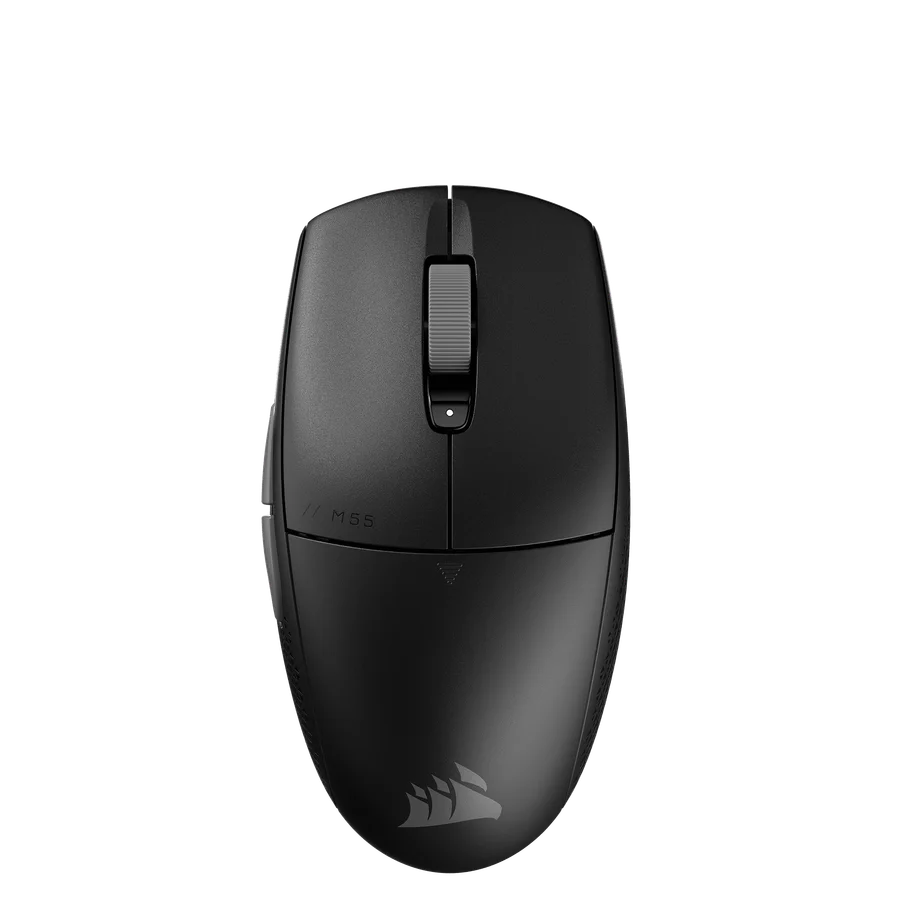
Dark gray Corsair M55 WIRELESS mouse
EDITORIAL SCORE
8.6/10
Research-based assessment

A compact wireless design powered by a single AA battery. Score reflects listed strengths and trade-offs, not hands-on tests.

04 / For receiver and Bluetooth connections

Corsair M55 WIRELESS, gray

A compact wireless design powered by a single AA battery.

Corsair specifies SLIPSTREAM wireless and Bluetooth, six programmable buttons and a 24,000 DPI sensor. Bluetooth provides another connection option when a device has no spare USB port; the receiver connection serves a different use case.

  • SLIPSTREAM and Bluetooth
  • Single AA power
  • 6 programmable buttons
Before you choose

Compare battery-life claims within the connection mode you will use. This is an AA-powered mouse, not a USB-rechargeable model. iCUE customization and device compatibility need checking for your system.

Check price at Walmart

Opens the linked product page. Confirm the exact model and any current purchase terms.

How we reached this verdictStrengths, caveats and our editorial score calculation8.6 /10

Research-based editorial assessment

Review verdict

Corsair M55 WIRELESS, gray. A compact wireless design powered by a single AA battery. Corsair specifies SLIPSTREAM wireless and Bluetooth, six programmable buttons and a 24,000 DPI sensor. Bluetooth provides another connection option when a device has no spare USB port; the receiver connection serves a different use case.

What to keep in mind
  • Compare battery-life claims within the connection mode you will use.
  • This is an AA-powered mouse, not a USB-rechargeable model. iCUE customization and device compatibility need checking for your system.

Where it fits best

For receiver and Bluetooth connections

Corsair specifies SLIPSTREAM wireless and Bluetooth, six programmable buttons and a 24,000 DPI sensor. Bluetooth provides another connection option when a device has no spare USB port; the receiver connection serves a different use case.

Before you buy

Compare battery-life claims within the connection mode you will use. This is an AA-powered mouse, not a USB-rechargeable model. iCUE customization and device compatibility need checking for your system.

Who should buy it?

Consider this product when your priority matches for receiver and bluetooth connections and its listed features fit your setup. Compare the other options above and check the precise model, included accessories and retailer terms before ordering.

How we calculated 8.6/10

We weighted five criteria relevant to this guide. The values are editorial judgements based on the product descriptions, documented specifications and limitations. They are not independent performance measurements, laboratory test scores or customer ratings.

Sensor & control features9.0 × 30%
Grip/use-case suitability8.8 × 25%
Connection practicality8.3 × 20%
Fit & battery caveats7.9 × 15%
Model clarity8.5 × 10%

Weighted editorial score: 8.6 / 10Listing research checked 3 November 2026

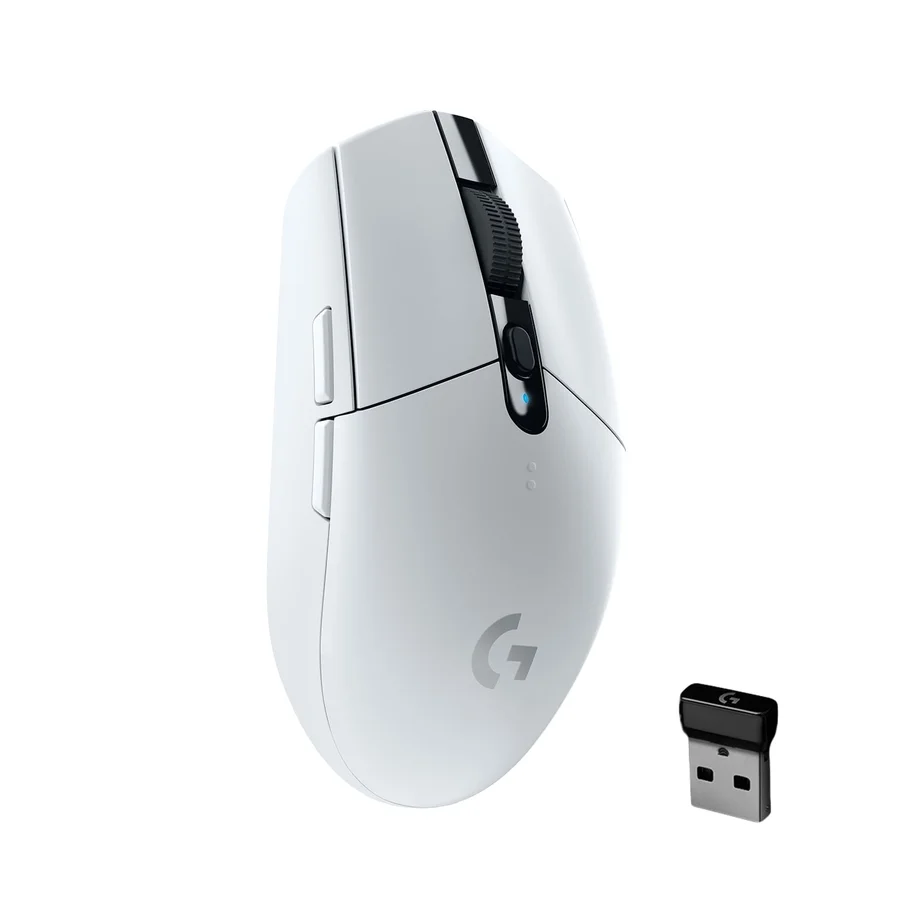
White Logitech G305 mouse beside its USB receiver
EDITORIAL SCORE
8.7/10
Research-based assessment

A six-button wireless mouse with an AA battery. Score reflects listed strengths and trade-offs, not hands-on tests.

05 / For receiver-based wireless gaming

Logitech G305 LIGHTSPEED, white

A six-button wireless mouse with an AA battery.

The G305 uses Logitech LIGHTSPEED through its USB receiver and a HERO sensor rated up to 12,000 DPI. Receiver storage inside the mouse is useful when moving between a desk and a laptop bag. The mapped color is white.

  • LIGHTSPEED USB receiver
  • Single AA power
  • 12,000 DPI maximum listed
Before you choose

LIGHTSPEED is not Bluetooth. Keep a suitable USB port available and confirm that the receiver is included. The advertised 250-hour battery figure depends on use and is not a result from our own testing.

Check price at Walmart

Opens the linked product page. Confirm the exact model and any current purchase terms.

How we reached this verdictStrengths, caveats and our editorial score calculation8.7 /10

Research-based editorial assessment

Review verdict

Logitech G305 LIGHTSPEED, white. A six-button wireless mouse with an AA battery. The G305 uses Logitech LIGHTSPEED through its USB receiver and a HERO sensor rated up to 12,000 DPI. Receiver storage inside the mouse is useful when moving between a desk and a laptop bag. The mapped color is white.

What to keep in mind
  • LIGHTSPEED is not Bluetooth.
  • Keep a suitable USB port available and confirm that the receiver is included.
  • The advertised 250-hour battery figure depends on use and is not a result from our own testing.

Where it fits best

For receiver-based wireless gaming

The G305 uses Logitech LIGHTSPEED through its USB receiver and a HERO sensor rated up to 12,000 DPI. Receiver storage inside the mouse is useful when moving between a desk and a laptop bag. The mapped color is white.

Before you buy

LIGHTSPEED is not Bluetooth. Keep a suitable USB port available and confirm that the receiver is included. The advertised 250-hour battery figure depends on use and is not a result from our own testing.

Who should buy it?

Consider this product when your priority matches for receiver-based wireless gaming and its listed features fit your setup. Compare the other options above and check the precise model, included accessories and retailer terms before ordering.

How we calculated 8.7/10

We weighted five criteria relevant to this guide. The values are editorial judgements based on the product descriptions, documented specifications and limitations. They are not independent performance measurements, laboratory test scores or customer ratings.

Sensor & control features8.8 × 30%
Grip/use-case suitability8.8 × 25%
Connection practicality8.7 × 20%
Fit & battery caveats8.0 × 15%
Model clarity8.9 × 10%

Weighted editorial score: 8.7 / 10Listing research checked 3 November 2026
04 / Buying advice

Check the details that matter.

Start with shape and grip

Compare length, width, button position and your usual palm, claw or fingertip grip. A return policy matters when you cannot try the mouse in person.

Choose how it connects

Wired mice need cable space. Receiver-based wireless needs a USB port; Bluetooth needs device support. These modes are not interchangeable simply because a mouse is described as wireless.

Check settings and power

Confirm software support for your operating system and the settings that remain on the mouse. For AA-powered options, plan for battery replacement rather than looking for a charging cable.

How this comparison was put together

We reviewed the exact retailer and manufacturer pages, product identities and supplied photographs on November 3, 2026. The selections compare gaming mice by use case and practical tradeoffs. Specifications are attributed listing information unless a manufacturer source is identified. We have not conducted hands-on testing. The editorial scores above are subjective, research-based assessments of listed features, suitability and limitations. unconfirmed performance, certification and medical claims are not treated as established results.

06 / FAQs

A few things worth knowing.

Does a higher DPI make a mouse better?

No. DPI describes sensitivity, not a complete measure of tracking quality or comfort. Choose a useful setting for your screen and game, then consider shape and button access.

Which mice here are wireless?

The Corsair M55 WIRELESS and Logitech G305 LIGHTSPEED are wireless. The SteelSeries Rival 3 Gen 2, Logitech G203 and Razer DeathAdder Essential listings in this guide are wired.

Does the M55 WIRELESS support Bluetooth?

Yes. Corsair lists Bluetooth and SLIPSTREAM connections. Check which mode and software features are supported by the device you want to use.

Can I use the G305 without its receiver?

Its LIGHTSPEED connection requires the compatible USB receiver; it does not provide Bluetooth. Check that the receiver is included in the exact offer.

Are these all suitable for left-handed use?

No. A symmetrical shell alone does not establish left-hand suitability, especially when side buttons are on one side. The DeathAdder Essential is a sculpted right-hand design.

Have you measured click latency or sensor accuracy?

No. This guide compares listed hardware, connection methods and practical fit considerations. It does not rank the mice by independently measured latency, tracking or durability.

Make the choice fit your day.

Choose the shape and connection you will be comfortable using every day. Sensor ceilings and lighting are secondary to a mouse that fits your hand and setup.

Back to the shortlist ↑